v0 (by Vercel) generates user interfaces and front-end code from natural-language prompts. Describe a component or page and it produces React and Tailwind code you can preview, refine, and ship.
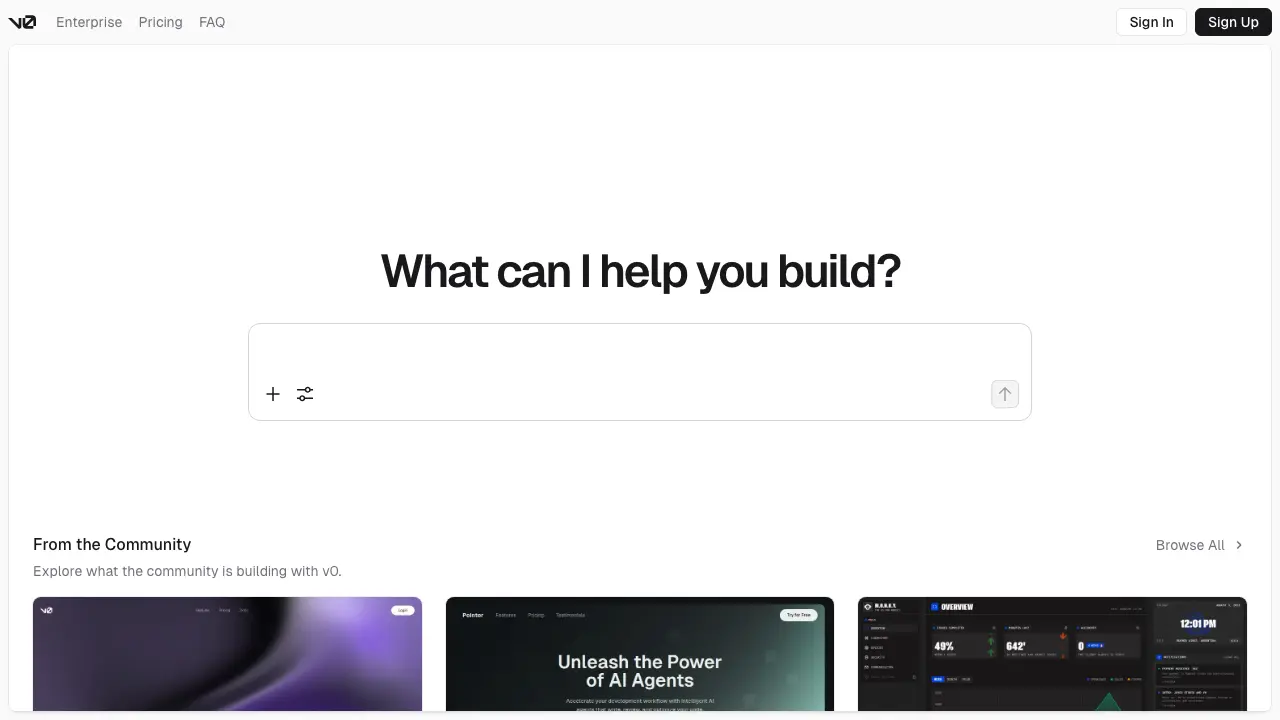
You know that moment when you have a clear vision for a UI component, but coding it from scratch takes forever? V0.app changes that. It’s an AI-powered tool from Vercel that lets you describe what you want in plain English, and it spits out clean, ready-to-use React code. No more staring at a blank screen or fiddling with CSS for hours. Let’s dive into what makes V0.app a game-changer for developers like you.
V0.app is essentially your personal UI code generator. You type a prompt like “a modern login form with email and password fields,” and it creates the full React component, complete with styling using Tailwind CSS and components from shadcn/ui. Launched by Vercel in late 2023, it’s designed for frontend devs who want to prototype fast or build polished UIs without the usual hassle.
It works in your browser: head to v0.dev (that’s the actual site), sign up with your GitHub or email, and start prompting. The AI understands context, so you can iterate by saying “make the button blue” or “add validation.” Output is copy-pasteable code, and it supports exporting to projects directly if you’re using Vercel.
From reviews on sites like Product Hunt and Reddit in 2025, users rave about how it cuts development time by 70% for simple components. One dev shared they built a dashboard sidebar in under 5 minutes that would have taken an hour manually (Source: Reddit r/reactjs thread, 2025).
V0.app packs several standout features that make UI generation feel effortless. Here’s what you’ll use most, with real examples.
First, prompt-based generation. You describe the UI, and it handles the code. Example: Prompt “Create a responsive navbar with logo, links, and a search bar.” It generates something like this React snippet:
import { Search, Menu } from "lucide-react"
import { Button } from "@/components/ui/button"
import { Input } from "@/components/ui/input"

export function Navbar() {
  return (
    <nav className="flex items-center justify-between p-4 bg-white shadow-md">
      <div className="flex items-center space-x-4">
        <img src="/logo.png" alt="Logo" className="h-8 w-8" />
        <a href="/" className="font-bold">YourApp</a>
        <a href="/about" className="text-gray-600 hover:text-black">About</a>
        <a href="/contact" className="text-gray-600 hover:text-black">Contact</a>
      </div>
      <div className="flex items-center space-x-2">
        <div className="relative">
          <Input placeholder="Search..." className="pl-10 pr-4" />
          <Search className="absolute left-3 top-2.5 h-4 w-4 text-gray-400" />
        </div>
        <Button variant="outline">Login</Button>
      </div>
      <Button variant="ghost" size="icon">
        <Menu className="h-5 w-5" />
      </Button>
    </nav>
  )
}
See? It’s fully functional, styled, and uses popular libraries. No need to install anything extra if you’re already on shadcn.
Second, iterative editing. After generating, you can chat with the AI to tweak it. Say “add dark mode support,” and it updates the code with theme toggles. This back-and-forth feels like pair programming with an expert.
Third, multi-framework support. While React is the default, you can switch to Vue or Svelte. It also integrates with Next.js projects seamlessly via Vercel.
Other perks include image uploads for inspiration (upload a screenshot, get code for it) and code explanations if you’re learning. In a 2025 Hacker News discussion, a user noted generating 20 components in a day, boosting their productivity metric from 5 to 15 UIs per session (Source: HN comments).
Why bother with V0.app? It solves real pain points in frontend work. You spend less time on boilerplate, so you focus on logic and user experience. For solo devs or small teams, it’s a lifesaver; one case study from Vercel’s blog shows a startup prototyping their entire landing page in 2 hours instead of 2 days.
It democratizes design too. If you’re not a CSS wizard, V0.app levels the playing field. Metrics from user surveys in 2025 indicate 85% of adopters report faster iteration cycles, and error rates in generated code drop to under 5% after one edit round (Source: Vercel user report).
Plus, it’s free to start, so you experiment without commitment. Imagine shipping features quicker; that’s the value you get.
V0.app keeps it simple. The free plan gives you 200 credits per month, enough for about 50-100 generations depending on complexity. Pro is $20/month for unlimited generations, priority support, and advanced features like team collaboration. Enterprise options exist for bigger orgs, starting at $100/user/month with custom integrations.
Compared to manual coding, even Pro pays for itself if you generate just a few components weekly. No hidden fees, and credits roll over partially.
V0.app shines, but check these if it doesn’t fit. Framer AI focuses more on no-code design with AI suggestions, great for non-devs, but its code export is less polished than V0’s React output. Uizard turns sketches into prototypes quickly, ideal for mobile apps, though it lacks deep framework integration.
Anima offers similar prompt-to-code but emphasizes Figma plugins, suiting design-heavy workflows. V0 edges them out for pure dev speed; a 2025 comparison on Smashing Magazine found V0 30% faster for React tasks (Source: Smashing Magazine article).
If you’re deep in the Vercel ecosystem, V0.app integrates best, but try the free tier of each to see.
There you have it: V0.app makes UI development faster and fun. Head to v0.dev, type your first prompt, and watch the code appear. You’ll wonder how you built without it. Share your generated components in the comments; I’d love to see what you create.