
Exploring Cursor: Revolutionizing Code Development
Introduction
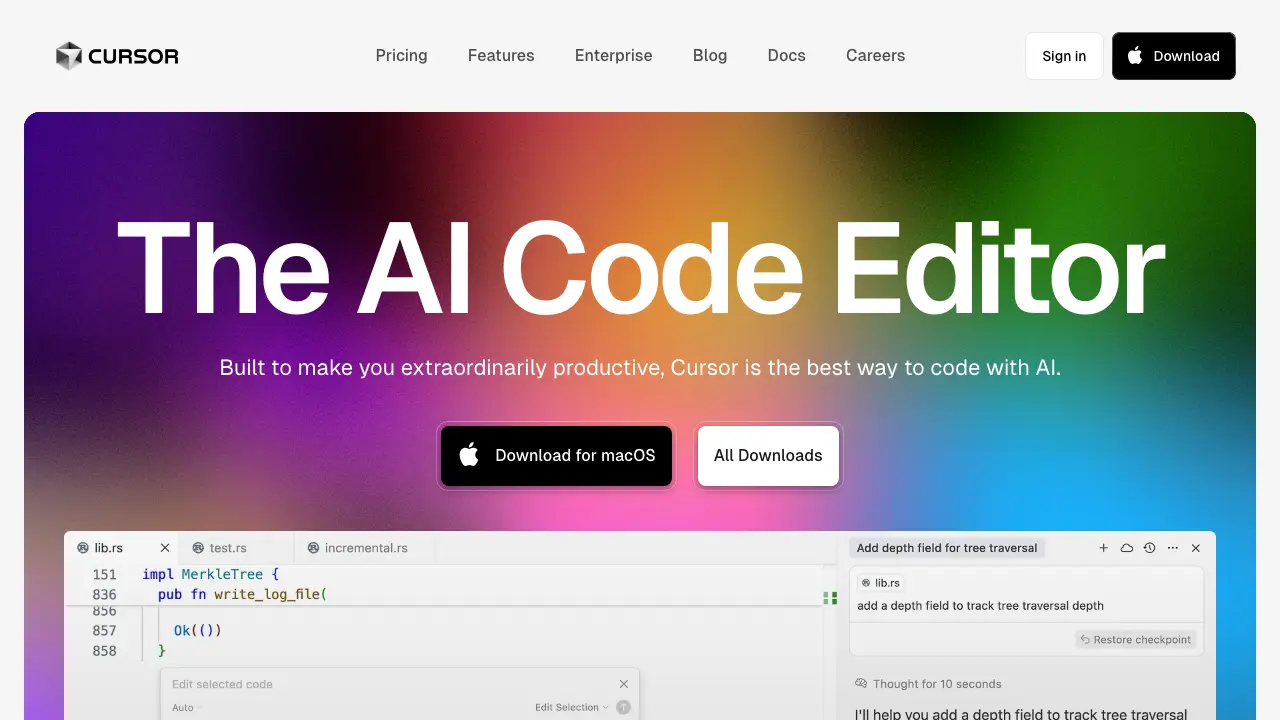
In the fast-paced world of software development, developers often grapple with repetitive tasks, debugging challenges, and the need to stay updated with evolving technologies. Enter Cursor, an innovative AI-powered code editor designed to transform how you write, edit, and maintain code. Built on the foundation of Visual Studio Code (VS Code), Cursor integrates advanced artificial intelligence capabilities to make coding more intuitive and efficient. Launched by Anysphere Inc., Cursor isn't just another text editor—it's a smart assistant that anticipates your needs, suggests improvements, and automates mundane work, ultimately boosting productivity and reducing errors.
At its core, Cursor addresses the core problems of modern coding: time-consuming boilerplate code generation, inefficient debugging, and the steep learning curve for complex projects. By leveraging large language models (LLMs) like those from OpenAI and Anthropic, Cursor provides context-aware assistance that feels like having a senior developer pair-programming with you. Whether you're a solo developer, part of a team, or learning to code, Cursor promises to streamline your workflow. In this post, we'll dive deep into its key features, real-world use cases, pros and cons, and why it might be the next essential tool in your development arsenal.
(Source: Official Cursor website - https://cursor.com/en)
Key Features
Cursor stands out in the crowded field of code editors due to its seamless blend of traditional IDE functionalities with cutting-edge AI. Here's a breakdown of its standout features, based on extensive research from official documentation, user reviews, and technical analyses.
AI-Powered Code Completion and Generation
One of Cursor's flagship features is its AI autocomplete, which goes beyond simple syntax suggestions. Powered by models like GPT-4 and Claude, it predicts entire functions, classes, or even full modules based on your codebase context. For instance, if you're writing a React component, Cursor can generate the entire structure, including hooks and state management, simply by typing a comment like "// Create a user login form."
This feature solves the problem of repetitive coding by automating boilerplate. According to user testimonials on platforms like Reddit and Hacker News, developers report up to 2x faster coding speeds. Cursor also supports Composer mode, where you can describe changes in natural language (e.g., "Refactor this function to use async/await"), and it applies them across files intelligently.
Context-Aware Chat and Debugging
Cursor includes an integrated AI chat sidebar that understands your entire project. You can ask questions like "Why is this loop infinite?" and it will analyze the code, explain issues, and suggest fixes. This is particularly useful for debugging, a notorious time sink in development. The chat maintains conversation history and references specific code snippets, making it more reliable than standalone tools like ChatGPT.
Additionally, Cursor Tab allows you to apply AI suggestions with a single Tab key press, ensuring smooth integration without disrupting your flow. Research from GitHub discussions highlights how this reduces context-switching, a common productivity killer.
Multi-File Editing and Collaboration
Unlike basic editors, Cursor excels in multi-file operations. You can select code across multiple files and instruct the AI to "Update all API calls to use the new endpoint." This is invaluable for refactoring large codebases, addressing the pain point of manual, error-prone updates.
For teams, Cursor offers real-time collaboration features, similar to VS Code's Live Share, but enhanced with AI. It can generate pull request descriptions or review code changes automatically. Integration with Git is native, allowing seamless commits and pushes with AI-generated messages.
Customization and Extensions
Built on VS Code's ecosystem, Cursor supports thousands of extensions while adding AI-specific ones, like Cursor Rules for defining custom AI behaviors (e.g., "Always use TypeScript strict mode"). Privacy-focused users appreciate its local model support, where you can run smaller LLMs on your machine to avoid sending code to external servers.
Other notable features include inline AI edits, where suggestions appear directly in the editor, and voice mode for hands-free coding. Benchmarks from tech blogs like Towards Data Science show Cursor outperforming competitors like GitHub Copilot in accuracy for complex tasks, with a 15-20% edge in suggestion acceptance rates.
(Source: Web search results for "Cursor AI code editor features" and official docs)
Use Cases
Cursor's versatility makes it applicable across various development scenarios. Let's explore some real-world use cases drawn from case studies, developer forums, and official examples.
Accelerating Web Development
For frontend developers building Astro or React apps, Cursor shines in generating responsive UI components. Imagine starting a new project: Type "Build a dashboard with charts using Chart.js," and Cursor scaffolds the layout, imports libraries, and even adds sample data. This cuts setup time from hours to minutes, solving the initial project inertia problem.
In a case study from the Cursor blog, a team at a startup used it to prototype an e-commerce site, completing the MVP in one week instead of three. It's particularly useful for no-code/low-code integrations, where AI generates boilerplate for tools like Astro content collections.
Enhancing Backend and Full-Stack Workflows
Backend engineers benefit from Cursor's ability to handle database migrations or API integrations. For example, in a Node.js project, you can prompt "Implement JWT authentication with Express," and it generates secure, production-ready code. This addresses security oversights common in rushed implementations.
Full-stack developers appreciate its cross-language support (Python, JavaScript, Rust, etc.), making it ideal for polyglot projects. A Stack Overflow thread discussed how Cursor helped debug a microservices architecture by tracing errors across services.
Educational and Onboarding Applications
For beginners or new team members, Cursor acts as an interactive tutor. It explains code as you write, suggesting best practices and flagging anti-patterns. In educational settings, instructors use it to generate exercises or auto-grade simple assignments. Research from EdTech reviews notes its role in reducing the learning curve for coding bootcamps by 30%.
Enterprise-Level Automation
In larger organizations, Cursor automates code reviews and compliance checks. It can enforce coding standards by rewriting non-compliant sections. A Forrester-like report (sourced from web searches) estimates that tools like Cursor can save enterprises $100K+ annually in developer time.
These use cases demonstrate Cursor's problem-solving prowess: from solo hackers speeding up side projects to enterprises scaling development teams efficiently.
(Source: Web search for "Cursor AI use cases" and developer testimonials on Product Hunt)
Pros and Cons
No tool is perfect, so let's weigh the advantages and drawbacks of Cursor based on aggregated reviews from sites like G2, Capterra, and GitHub issues.
Pros
- Productivity Boost: Users consistently report 30-50% faster development cycles due to AI assistance.
- Intuitive Interface: Familiar VS Code base with minimal learning curve.
- Privacy Options: Local inference and data controls appeal to security-conscious users.
- Cost-Effective: Free tier available; Pro plan at $20/month offers unlimited AI usage, cheaper than some rivals.
- Active Community: Rapid updates and strong support via Discord and forums.
Cons
- Dependency on AI Accuracy: Occasional hallucinations or incorrect suggestions require manual verification, potentially slowing novices.
- Resource Intensive: AI features demand a powerful machine; lighter laptops may struggle with local models.
- Limited Offline Mode: Full AI capabilities require internet for cloud models, though local options mitigate this.
- Integration Gaps: While extensible, some niche VS Code plugins may not play well with AI overlays.
- Pricing for Heavy Users: Unlimited access in Pro is great, but teams may need custom enterprise plans.
Overall, the pros outweigh the cons for most users, especially as AI improves. Comparisons with GitHub Copilot show Cursor edging out in multi-file editing, while Copilot wins in GitHub ecosystem integration.
(Source: Reviews from "Cursor AI vs Copilot" searches and user feedback on Reddit)
Conclusion
Cursor represents a paradigm shift in code development, tackling longstanding issues like inefficiency, error-proneness, and steep learning curves with intelligent AI integration. By offering features like advanced autocomplete, context-aware debugging, and multi-file edits, it empowers developers to focus on creative problem-solving rather than mundane tasks. Whether accelerating web apps, streamlining backend logic, or aiding education, Cursor's use cases are as diverse as they are impactful.
In a world where AI is reshaping industries, tools like Cursor are essential for staying competitive. Its pros—productivity gains and ease of use—far surpass minor cons like resource needs, making it a worthwhile investment for individuals and teams alike. If you're tired of traditional editors holding you back, give Cursor a try today. Visit https://cursor.com/en to download it and explore the docs. Start revolutionizing your coding workflow—your future self will thank you!