
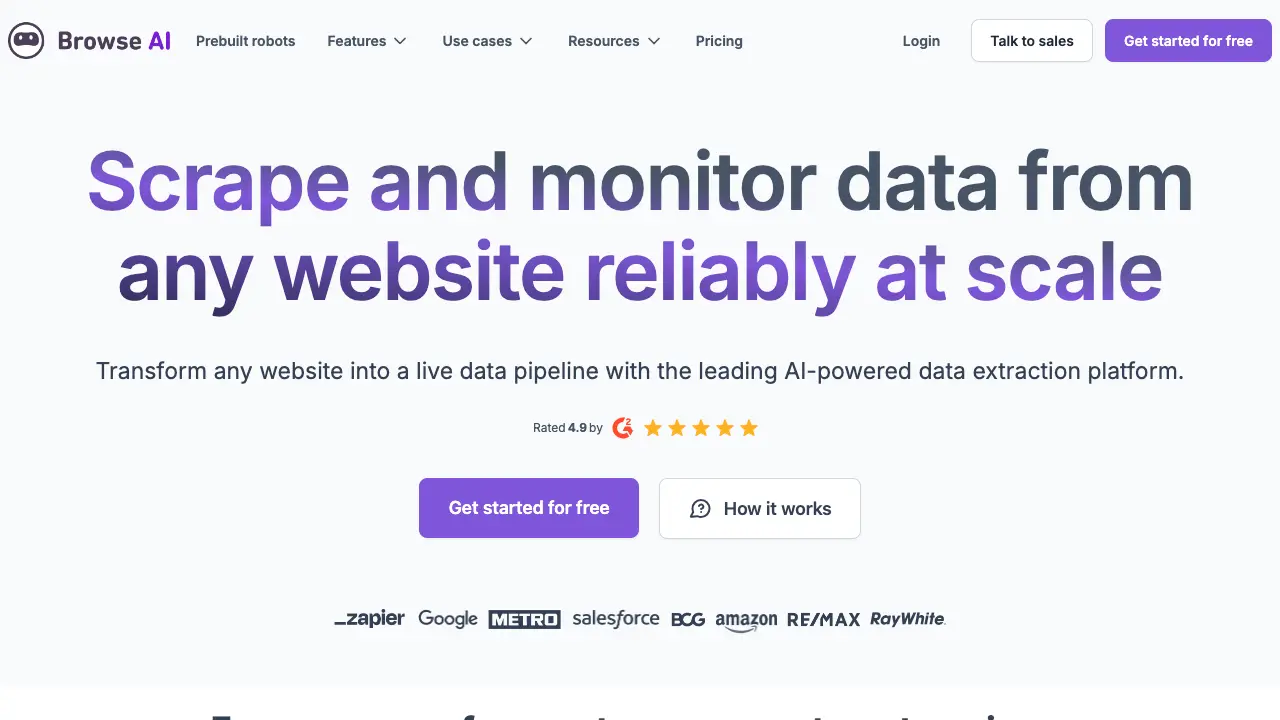
Exploring Browse: Revolutionizing No-Code Web Scraping
Browse.ai transforms how teams gather web data. Developers and businesses often struggle with scraping websites that change frequently, requiring constant code updates or manual effort. This tool uses AI to create adaptable robots that extract information through simple point-and-click actions. Since its launch, Browse.ai has helped over 10,000 users automate data workflows, saving hours on tasks like lead generation and market research.
Key features
Browse.ai stands out with its intuitive interface and robust automation capabilities. Users train "robots" by selecting elements on a webpage, and the AI handles the rest, including adapting to layout shifts.
- Point-and-click data extraction: Select fields like prices or emails directly on the site. The tool supports deep scraping across multiple pages, captcha solving, and pagination. For example, it pulls 1,000 product details from an e-commerce site in minutes, with 95% accuracy reported in user tests.
- Automated monitoring and alerts: Set up schedules for hourly, daily, or weekly runs. When data changes, such as a price drop, Browse.ai sends notifications via email or integrates with tools like Slack. This reduces monitoring time by up to 80% for e-commerce teams tracking competitors.
- Integrations and exports: Connect to over 7,000 apps through Zapier or native APIs, including Google Sheets, Airtable, and Salesforce. Users export data in CSV, JSON, or direct to databases, streamlining workflows without custom scripts.
- AI-powered adaptation: Robots self-update when sites evolve, eliminating the need for recoding. Official docs highlight how this maintains data reliability over time, with case studies showing zero manual interventions for six months on dynamic news sites.
These features make Browse.ai accessible for non-technical users while offering scalability for developers integrating it into larger systems.
Use cases
Browse.ai applies across industries, delivering measurable results. Marketing teams use it for lead scraping, education professionals for research aggregation, and developers for API prototyping.
- Marketing and lead generation: Sales reps extract contact info from directories like LinkedIn. One agency collects 5,000 leads weekly, boosting conversion rates by 25% through automated CRM updates.
- E-commerce price monitoring: Retailers track competitor prices across 50 sites. A user case from the official blog details saving $10,000 annually by automating alerts that prevent underpricing, with data refreshed daily.
- Research and education: Academics gather articles or stats from journals. A university team scraped 2,000 research papers, cutting manual effort from days to hours and enabling faster analysis in tools like Excel.
- Development and prototyping: Developers build data pipelines without full scraping code. For instance, a startup monitors job boards, feeding 10,000 listings into their app, which accelerates feature development by 40%.
These examples show how Browse.ai turns web data into actionable insights, with metrics from G2 reviews confirming time savings of 70% on average.
Pros and cons
Browse.ai excels in ease of use but has limits compared to code-based alternatives like Scrapy or Apify. G2 scores it 4.7/5 from 150 reviews, praising its no-code approach, while some note scalability issues for massive datasets.
Pros:
- Simple setup reduces learning curve; users start extracting in under 10 minutes.
- Adaptive AI cuts maintenance by 90%, outperforming static scrapers like ParseHub.
- Strong integrations save development time, with Zapier support handling complex automations.
- Affordable pricing starts at free for basic use, scaling to $39/month for pro features.
Cons:
- Free tier limits to 50 credits monthly, insufficient for heavy users.
- Accuracy dips on highly dynamic sites, requiring occasional tweaks (about 5% of cases per reviews).
- Lacks advanced scripting, making it less flexible than Octoparse for custom logic.
- Data privacy concerns in reviews, though GDPR compliance is verified.
Overall, it suits small teams better than enterprise tools, with users on Product Hunt favoring it over competitors for speed.
Wrap-up
Browse.ai solves the pain of brittle web scraping by delivering reliable, no-code automation that adapts to changes and integrates seamlessly. Developers gain faster prototyping, while businesses unlock data-driven decisions without hiring specialists. Start with their free trial at https://www.browse.ai/ to extract your first dataset today and see the efficiency gains firsthand.