
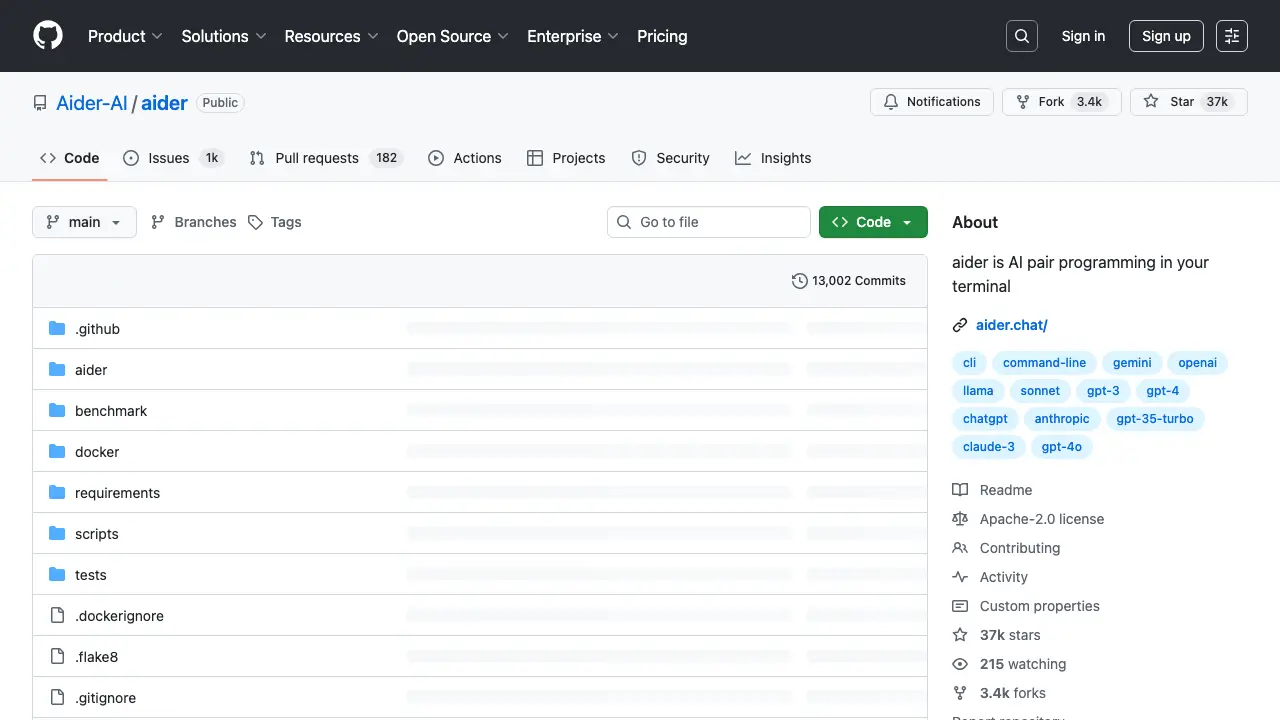
Aider: The AI That Acts as Your Codebase's Co-pilot, Not Just a Chatbot
If you've been searching for a new AI coding assistant, you've probably heard the name "Aider" thrown around. But a quick Google search can leave you confused, with results pointing to a finance platform, a UK-based consultancy, and an open-source coding tool. So, let’s clear the air right from the start. This post is about aider.chat, the open-source, terminal-based AI pair-programming tool that’s changing how developers think about AI-assisted coding.
This isn't about passive, in-line code completion. Aider is an active collaborator that lives in your local Git repository. It reads your code, executes tasks, runs tests, and can even make multi-file changes and commit them automatically. Think of it less as a spell-checker for code and more as a powerful agent ready to tackle entire projects.
1. The Aider Philosophy: From Passive Assistant to Active Agent
Aider's design isn't just a tweak on existing AI tools; it's a complete shift in philosophy. While most developers are familiar with tools like GitHub Copilot, which offer real-time, line-by-line suggestions, Aider is fundamentally different. It's an agentic AI—a system capable of autonomously reading, running, and updating your codebase.
This approach transforms your role from a primary coder to a high-level manager. Instead of just suggesting a single function, you can give Aider a high-level prompt, and it will formulate a plan, make the necessary changes across multiple files, and even commit them to Git with a descriptive message. It’s a "Git-powered script-like AI session" that lets you delegate entire, complex tasks, allowing you to focus on the bigger picture.
2. Under the Hood: Aider's Unique Architecture
Aider’s power comes from a few key architectural decisions that set it apart.
The CLI Isn't a Bug, It's a Feature
Aider's user interface is a command-line interface (CLI). This isn't a drawback—it's a deliberate design choice for developers who live in the terminal. It integrates seamlessly with other CLI tools like tmux and vim, offering a lean, responsive experience without the overhead of a heavy graphical user interface (GUI). Of course, this approach has its trade-offs. The CLI can be a barrier for those who aren't comfortable with it. It also lacks a visual diff tweaking interface, meaning you can't easily make minor manual adjustments before accepting Aider's changes.
Your AI, Your Rules: The "Bring Your Own Key" Model
Unlike many competitors tied to a single, proprietary large language model (LLM), Aider is an orchestrator. It uses the litellm package to connect to "hundreds of other models" from various providers. You can use the --model <model-name> flag to specify your preferred model and even use local models with Ollama. This "bring your own key" (BYOK) model gives you total control over cost and data privacy, as you're not locked into a third-party service. It also means you can immediately leverage the most advanced LLMs, such as GPT-5 or Gemini 2.5 Pro, as soon as they are available.
The Architect/Editor System: Separating Brains from Brawn
Aider has a clever "architect" mode for complex tasks. It uses a two-step process:
- The Architect Model: The first LLM request is sent to a primary "architect" model, which focuses on high-level reasoning and planning.
- The Editor Model: A second request is then sent to a separate "editor" model, whose only job is to translate the architect's plan into specific file-editing instructions.
This micro-agentic system is a direct response to a common problem with LLMs: their probabilistic nature can lead to "random crap" and errors. By separating the "planning" from the "execution," Aider significantly improves the reliability and quality of its output. This is especially effective when pairing a reasoning-focused model like OpenAI's o1 with a capable editing model like GPT-4o or Sonnet.
The Repo Map: Navigating the Entire Codebase
How does an AI understand a huge codebase without getting lost? Aider uses a sophisticated repository map. Generated automatically using universal-ctags, this map provides a "concise map of your whole git repository" with key symbols, functions, and call signatures. Aider sends this map to the LLM with each request, giving it a high-level architectural understanding of the project. This is how Aider can handle complex, multi-file refactoring tasks that would confuse simpler tools. It allows the LLM to understand dependencies, figure out which files need to be edited, and even ask to see those files when it needs more detail. Aider's conversational modes, which are central to its workflow, are detailed in the following table.
| Mode | Description | Key Command(s) | Practical Use Case |
|---|---|---|---|
| Code | The default mode where Aider makes direct changes to the codebase in response to user requests. | /code | Adding a new function to a file, such as a factorial calculator. |
| Ask | A conversational mode for discussing plans and getting suggestions without making any code changes. | /ask | Discussing a problem with Aider before committing to a solution, or asking for an overview of a repository's purpose. |
| Architect | A specialized mode that uses two separate LLMs to first propose a solution and then translate that plan into file edits. | /architect | Simplifying a function by replacing a custom implementation with a built-in library function. |
| Help | Provides guidance and troubleshooting for using Aider itself. | /help | Learning how to configure Aider to work with a new LLM provider or local model. |
3. The Developer Experience: Intentional Collaboration
The Pair Programming Loop
Aider encourages an intentional and deliberate workflow. The recommended approach is to bounce between the /ask and /code modes, a process that mirrors a real human pair-programming session. You start in /ask mode to brainstorm and get a plan from the AI. Once you're happy with the strategy, you switch to /code mode with a simple "go ahead" command, and Aider executes the plan, making the code changes and committing them automatically.
The Git Safety Net
Aider’s deep integration with Git isn't a nice-to-have—it's a core design principle. Before making any changes, it stages uncommitted changes and then creates a new, separate commit for its own edits, complete with an AI-generated commit message. This creates a clear, traceable audit trail. Because LLMs can sometimes produce flawed output, this automatic version control provides a deterministic safety net. You can easily review the diffs and use standard Git commands like git revert if something goes wrong.
Real-World Use Cases
Aider's workflow makes it perfect for a variety of complex tasks:
- Multi-File Changes and Debugging: It can coordinate changes across multiple files and debug collaboratively when you provide error outputs and documentation snippets.
- Refactoring Legacy Code: Its ability to understand the entire codebase makes it an excellent tool for modernizing legacy systems, handling tasks like extracting business logic and maintaining dependencies.
- Automated Testing: It can leverage its codebase awareness to generate "black box" tests and even apply fixes when tests fail, automating the entire debugging loop.
4. Aider vs. the Competition: A Showdown
Aider's unique position becomes clear when you compare it to the most popular tools on the market.
- Aider vs. GitHub Copilot: This is a philosophical divide. Copilot is predictive, in-IDE, and focused on real-time autocompletion. Aider is agentic, terminal-native, and task-oriented. Copilot excels at small, focused tasks; Aider is a superior tool for large-scale, multi-file changes like refactoring.
- Aider vs. Cursor: This is a battle of GUI vs. CLI. Cursor is a polished, visual IDE experience with integrated AI features. Aider is a tool to be used with your preferred editor. Your choice depends on whether you prefer "turbocharged autocompletion" and a unified visual environment or a composable, low-overhead "Git-powered script-like" session.
A detailed comparison of Aider against its primary competitors is provided in the following table.
| Tool | Core Philosophy | User Interface | Primary Use Case | Context Handling | Git Integration | Price Model |
|---|---|---|---|---|---|---|
| Aider | Agentic, task-focused pair programming | Command-line interface | Complex multi-file changes, refactoring | Deep, global codebase map (ctags) | Automatic commits for every change | Free with “bring your own key” (BYOK) |
| GitHub Copilot | Predictive, real-time code completion | In-IDE extension | Autocompletion, boilerplate, single-file edits | Local file/project context | Manual, or via new agent mode | Subscription per user |
| Cursor | AI-powered IDE with integrated features | Dedicated IDE | Turbocharged autocompletion, chat, and rewrites | Extensive context awareness, privacy mode | Manual or IDE-integrated | Subscription |
5. What People Love (and What Needs Work)
Synthesizing the Praise
Aider has earned a dedicated following for being a "powerful, yet light and clean" tool that "just works". Users love its ability to maintain context across a session and work with multiple files without cognitive overhead. The seamless Git integration is a standout feature, with developers appreciating that Aider respects best practices by automatically creating clean, traceable commits.
Acknowledging the Limitations
Aider isn't perfect. Its performance "depends entirely on the AI model you pick", so your experience can vary widely depending on the underlying LLM's capabilities and costs. Some models can be "over-eager" and introduce unnecessary changes that you have to manually review. The CLI is also a barrier for developers who aren't comfortable with the terminal.
6. The Future of Aider: Self-Coding and Multi-Agents
Aider Codes Itself
One of the most fascinating aspects of Aider's history is that it writes a significant portion of its own code. Release notes show that Aider has written between 70% and 80% of its new code in many versions, a testament to its effectiveness. The project has steadily evolved, with recent updates expanding support for new LLMs like the GPT-5 family of models and Claude Sonnet 4.
| Version | Key Features |
|---|---|
v0.86.0 | Expanded GPT-5 model support across variants and providers. Aider wrote 88% of the code. |
v0.85.5 | Enforced diff edit format and added reasoning_effort for GPT-5 models. |
v0.85.0 | Added support for Responses API models like o1-pro and o3-pro. Aider wrote 21% of the code. |
v0.84.0 | Implemented support for new Claude models, including Sonnet 4 and Opus 4 series. Aider wrote 79% of the code. |
v0.83.0 | Added support for gemini-2.5-pro and qwen3-235b. Introduced a spinner animation. |
v0.82.1 | Added support for new o3 and o4-mini models. |
v0.46.0 | Added new chat modes /ask, /code, and /help. |
v0.24.0 | Added /web <url> command to scrape and add content to chat. |
v0.19.0 | Switched to a unified diff edit format, improving benchmark scores from 20% to 61%. |
v0.12.0 | Introduced voice-to-code support. |
The Multi-Agent Horizon
The future roadmap for Aider is focused on a multi-agent system. This vision would allow Aider to break down complex requests into sub-tasks and assign them to specialized agents, such as a "Code Reviewer Agent" or a "Documentation Writer Agent". This would mimic the collaborative workflow of a human development team, making Aider even more powerful for complex software engineering projects.
Final Verdict: Is Aider Right for You?
Aider isn't trying to be the AI tool for everyone. It's a highly specialized and powerful instrument. You might be an ideal Aider user if you are:
- The CLI Enthusiast: You prefer the command line and want a tool that integrates seamlessly with your existing
tmuxandvimworkflow. - The Technical Lead: You manage large codebases or are responsible for tricky refactoring projects where a deep, global understanding of the repository is critical.
- The Pragmatic Collaborator: You value control, data privacy, and an intentional workflow over passive suggestions. You appreciate the Git integration that makes AI's probabilistic nature a manageable, reversible process.
In short, Aider is a groundbreaking tool that solves some of the most challenging problems in AI-assisted development. For the right person and the right task, it represents one of the most effective approaches to AI-driven software development available today.